Author: joadmin_64c0c7

  • Hermes Agent: A Practical Guide for Small Business Automation

    Hermes Agent: A Practical Guide for Small Business Automation

    Launch AI Works
    InsightsNov 8, 20264 min read

    Hermes Agent: A Practical Guide for Small Business Automation

    This open-source agent builds a learning loop that remembers your workflows, reducing the need for manual setup of routine digital tasks.

    LBy Launch AI Works
    Hermes Agent: A Practical Guide for Small Business Automation
    The short version

    Hermes Agent creates skills from experience and maintains context across sessions, allowing it to handle recurring tasks like reports and backups. It runs on low-cost infrastructure and connects to various messaging platforms, offering a flexible alternative to generic AI assistants.

    What Hermes Agent Is

    Hermes Agent is an open-source AI agent developed by Nous Research and released under the MIT license. Unlike standard chatbots that reset after every conversation, this tool features a built-in learning loop. It creates skills from previous experiences and improves them during use. According to the official documentation, it also searches its own past conversations and builds a model of the user across sessions. This means the assistant does not start from zero each time it is used.

    The project is hosted on GitHub, where it has accumulated significant community attention, with over 260,000 stars and 58,000 forks. The source code is available for inspection, and the tool is designed to run on a variety of hardware, from a small virtual private server to a GPU cluster. For a small business, this open-source nature means there is no vendor lock-in; the software can be installed on your own infrastructure.

    How the Learning Loop Works

    The core value of Hermes Agent lies in its ability to persist knowledge. The system uses agent-curated memory with periodic nudges to ensure important information is saved. After completing complex tasks, the agent can autonomously create new skills. These skills then self-improve during subsequent uses. This process allows the tool to adapt to specific business workflows over time.

    The agent also uses full-text search to recall information from previous sessions. It employs a dialectic user modeling approach to understand the user’s preferences and context. This persistent memory makes the assistant more useful for business operations, where consistency and context are critical. Instead of re-explaining business rules to a generic AI, the agent retains this information for future interactions.

    Practical Applications for Small Businesses

    For small business owners, the most immediate benefit is the ability to automate routine tasks without hiring additional staff. Hermes Agent includes a built-in cron scheduler that allows users to set up automations using natural language. Tasks such as daily reports, nightly backups, and weekly audits can be configured to run unattended. This removes the repetitive manual setup of basic digital tasks, allowing the team to focus on high-value work.

    The agent can also delegate work to isolated subagents for parallel workstreams. This is useful for businesses that need to handle multiple processes simultaneously. The tool supports writing Python scripts that call tools via RPC, which can collapse multi-step pipelines into efficient operations. By handling reminders, follow-ups, and recurring reports, the agent acts as a digital employee that does not require a salary or benefits.

    Infrastructure and Connectivity

    Hermes Agent is designed to run on affordable cloud infrastructure. It can operate on a virtual private server costing as little as five dollars per month. The tool supports serverless persistence, meaning the environment hibernates when idle and wakes on demand, keeping costs low between sessions. This flexibility allows businesses to scale their automation needs without committing to expensive, always-on hardware.

    Connectivity is another key feature. The agent lives where the business operates, integrating with Telegram, Discord, Slack, WhatsApp, Signal, and a command-line interface. All these connections are managed from a single gateway process. This allows business owners to interact with the agent via voice memo transcription or text messages from their preferred platform. The tool also supports various language models, including OpenAI, Anthropic, and local endpoints, allowing users to switch models without code changes.

    Takeaways

    • Hermes Agent uses a built-in learning loop to create and improve skills from experience, reducing the need for repetitive instructions.
    • It supports scheduled automations via natural language, enabling unattended execution of tasks like daily reports and backups on low-cost infrastructure.
    • The tool integrates with multiple messaging platforms and supports various AI models, offering flexibility without vendor lock-in.
    L

    Launch AI Works builds practical AI and automation inside small businesses. Notes in Insights are written from sources we cite and checked before publishing.

    Your turn

    Where would this work in your business?

    Take the two-minute AI Opportunity Snapshot and we will point to where automation is most likely to pay off for you.


    2mFree AI Opportunity Snapshot →
  • Mika: An On‑Device AI Agent That Can Automate Android Tasks for Small Businesses

    Mika: An On‑Device AI Agent That Can Automate Android Tasks for Small Businesses

    Launch AI Works
    InsightsNov 8, 20264 min read

    Mika: An On‑Device AI Agent That Can Automate Android Tasks for Small Businesses

    Mika is an open‑source Android AI assistant that operates apps and the web without leaving the device, offering a low‑cost way for small businesses to automate everyday digital tasks.

    LBy Launch AI Works
    Mika: An On‑Device AI Agent That Can Automate Android Tasks for Small Businesses
    The short version

    Mika runs on your Android phone, interacts with any app or website, and keeps all data on the device. Small business owners can use voice commands to automate ordering, scheduling, and information‑gathering without custom integrations.

    What Mika Is and How It Operates

    Mika is an on‑device AI agent for Android that can open apps, tap buttons, type text, and scroll pages while you continue using the phone normally. It does this on a hidden background screen, so the main display stays free for other work.

    The assistant works with any app or website because it visually identifies UI elements the same way a person does, eliminating the need for per‑app APIs. It can also be called from a web page in its built‑in desktop‑class browser.

    Why It Matters for Small Business Owners

    Routine digital chores—checking inventory, placing supplier orders, responding to customer messages, or pulling reports—often require multiple taps and manual navigation. Mika replaces those steps with a single spoken request, letting owners stay on top of core activities.

    All processing stays on the phone; there is no central Mika server. Data privacy is therefore controlled by the device owner, and the software is released under the Apache‑2.0 license, meaning it is free to use and modify.

    Practical Use Cases You Can Deploy Today

    A shop manager could say, “Find a charger under $30 with at least four‑point‑five stars,” and Mika would browse an online store, add the matching item to the cart, and pause before checkout for confirmation. The same pattern works for ordering office supplies, booking travel, or pulling the latest sales figures from a dashboard.

    Mika also handles scheduling and conditional reminders. For example, “Remind me at 9 am tomorrow if it will rain,” sets a daily weather check and only notifies you when rain is forecast. The agent can read a news feed, summarize a long chat history, or extract key points from a PDF, all without leaving the phone.

    Getting Started and What to Keep in Mind

    To try Mika, download the APK from the Releases page, install it on an Android 11 or later device, and connect a language model via an API key or a sign‑in with a ChatGPT, xAI, or OpenRouter account. Operating other apps requires Android 12 or later, with Android 14 recommended for smoother background interaction.

    The agent runs a Linux sandbox per conversation, supporting Python, Node, and shell scripts on arm64 devices. While the core features are free, you will need a compatible model provider (e.g., OpenAI, Anthropic, Gemini, or any OpenAI‑compatible endpoint) for the natural‑language processing.

    Takeaways

    • Mika automates app and web actions on Android without needing custom integrations.
    • All data stays on the device, offering privacy and a free, open‑source solution.
    • Small businesses can use voice commands to streamline ordering, scheduling, and information retrieval.
    L

    Launch AI Works builds practical AI and automation inside small businesses. Notes in Insights are written from sources we cite and checked before publishing.

    Your turn

    Where would this work in your business?

    Take the two-minute AI Opportunity Snapshot and we will point to where automation is most likely to pay off for you.

    2mFree AI Opportunity Snapshot →
  • Activepieces: Open-Source AI Workflow Automation for Small Business

    Activepieces: Open-Source AI Workflow Automation for Small Business

    Launch AI Works
    InsightsNov 8, 20266 min read

    Activepieces: Open-Source AI Workflow Automation for Small Business

    Activepieces is an open-source, AI-first workflow automation tool that lets small businesses connect apps, build automations, and deploy AI agents without coding or per-task pricing.

    LBy Launch AI Works
    Activepieces: Open-Source AI Workflow Automation for Small Business
    The short version

    Activepieces is an open-source alternative to Zapier that combines AI agents, MCP servers, and 200+ integrations in a self-hosted platform. Small businesses can automate repetitive tasks like follow-up emails, lead routing, and spreadsheet updates without monthly subscription fees or per-task costs.

    What Is Activepieces?

    Activepieces is an open-source, AI-first workflow automation platform designed as a replacement for tools like Zapier and Make. According to its GitHub repository, it is described as “an open source replacement for Zapier” and “all-in-one AI automation designed to be extensible through a type-safe pieces framework written in TypeScript.” The platform includes over 200 pieces (integrations) and approximately 400 MCP servers for AI agents. It is released under the MIT license for the Community Edition, with enterprise features under a commercial license.

    The platform was founded in 2022 by Mohammad AbuAboud and Ashraf Samhouri, has 10 employees, and is based in San Francisco, according to its Y Combinator profile. It is self-hosted, meaning you run it on your own servers or infrastructure, giving you full control over your data.

    Key Features for Small Business Owners

    Activepieces includes several features that are directly useful for small businesses. The GitHub repository lists builder features such as loops, branches, auto retries, HTTP code with NPM, and an “ASK AI in Code Piece” that lets non-technical users clean data without knowing how to code. Flows are fully versioned, and the platform supports translations and customizable templates.

    The platform also includes human-in-the-loop capabilities: you can delay execution for a period of time or require approval before an action proceeds. It has built-in support for human input triggers like a chat interface and a form interface. These features are built on top of the piece framework, meaning you can create custom pieces for your specific business needs.

    Activepieces is described as “secure by design” because it is self-hosted and can be network-gapped for maximum security and control over your data. This is especially important for small businesses that handle sensitive customer or financial information.

    How It Helps Small Businesses Save Time and Money

    For a small business, the main benefit is eliminating repetitive manual tasks without paying per-task fees. Activepieces connects to over 200 services including Google Sheets, OpenAI, Discord, and RSS. You can build automations like sending follow-up emails when a form is submitted, updating a spreadsheet when a new lead comes in, or routing customer inquiries to the right team member.

    Because it is self-hosted and open source, there are no monthly subscription fees or per-task pricing. The GitHub repository notes that Activepieces is “open source under MIT, on your servers or ours.” This means you can run it on your own infrastructure and avoid the ongoing costs of proprietary automation tools. The platform also includes AI agents and MCP servers, which allow you to integrate with large language models like Claude Desktop, Cursor, or Windsurf without additional licensing costs.

    The platform is designed to be used by both technical and non-technical users. The GitHub repository states it has an “intuitive interface and great experience for both technical and non-technical users with a quick learning curve.” Developers can set up the tools, and anyone in the organization can use the no-code builder.

    What You Need to Know Before Using It

    Activepieces is open source, but it requires some technical setup to self-host. You will need a server or cloud infrastructure to run it. The GitHub repository includes Docker configuration files and deployment scripts, but the setup is not a one-click process. If you are not comfortable with server administration, you may need help from a developer or IT professional.

    The platform has a large community of contributors. The GitHub repository shows over 25,400 stars and 4,400 forks, with 61,813 commits. About 60% of the pieces are contributed by the community. This means the integration library is constantly expanding, but you should verify that the specific integrations you need are available or can be built using the TypeScript framework.

    Activepieces offers both a Community Edition (MIT license) and enterprise features under a commercial license. The feature comparison is available on their pricing page. For most small businesses, the Community Edition should be sufficient, but if you need advanced enterprise features like custom branding or advanced control, you may need the commercial version.

    Getting Started with Activepieces

    To get started, you can visit the official website at activepieces.com or the GitHub repository at github.com/activepieces/activepieces. The GitHub page includes documentation, a contributor’s guide, and links to the community Discord server. The platform supports over 200 pieces, and you can check the full list at activepieces.com/pieces.

    For small business owners who want to try it without self-hosting, Activepieces also offers a cloud-hosted version. However, the open-source, self-hosted option gives you full control over your data and eliminates ongoing subscription costs. The platform is designed to be extensible, so you can build custom integrations using the TypeScript pieces framework.

    If you are new to workflow automation, start by identifying one repetitive task in your business—like sending a welcome email when someone signs up or updating a CRM when a lead is created. Build a simple flow using the no-code builder, then expand from there. The platform includes templates and an AI assistant to help you build flows.

    Takeaways

    • Activepieces is an open-source, self-hosted alternative to Zapier that eliminates per-task pricing and monthly subscription fees.
    • It includes built-in AI agents, MCP servers, and over 200 integrations, allowing small businesses to automate tasks like email follow-ups, lead routing, and spreadsheet updates.
    • The platform is designed for both technical and non-technical users, with a no-code builder, human-in-the-loop approvals, and AI-assisted flow creation.
    L

    Launch AI Works builds practical AI and automation inside small businesses. Notes in Insights are written from sources we cite and checked before publishing.

    Your turn

    Where would this work in your business?

    Take the two-minute AI Opportunity Snapshot and we will point to where automation is most likely to pay off for you.
    2mFree AI Opportunity Snapshot →
  • AI Spending Stalls: What It Means for Your Business

    AI Spending Stalls: What It Means for Your Business

    Launch AI Works
    InsightsNov 8, 20264 min read

    AI Spending Stalls: What It Means for Your Business

    New data reveals that while AI usage is increasing, spending has stalled due to price competition and smarter budgeting, creating opportunities for cost-conscious small businesses.

    LBy Launch AI Works
    AI Spending Stalls: What It Means for Your Business
    The short version

    Ramp data indicates that AI spending growth slowed to 1.5% in late summer, down from 42% in July. This shift is driven by price cuts from major providers and businesses adopting stricter cost controls.

    The Spending Slowdown

    A new report from Ramp, a corporate card and expense platform, indicates that AI spending has flatlined over the late summer months. According to the data, token spend only grew 1.5% across August and September. This is a sharp deceleration compared to July, when spending grew 42% from the previous month. The data suggests that while companies are using more AI, they are not spending more on it.

    Ramp’s lead economist, Ara Kharazian, noted that almost the entire spend on AI is from venture-backed, high-growth tech companies. He warned that if this spend starts to slow down due to market factors, it could lead to cascading effects across the industry. The data shows that the top 1% of firms, which are the most heavily invested in AI, have seen a slight stutter in their spending. These firms were hitting peaks of $10,000 per employee in the summer, but their spend has come up just below that mark in recent months.

    Why Prices Are Dropping

    The slowdown in spending is not due to a lack of demand. In fact, AI volumes are rising. Instead, the primary driver is the competitive nature of the marketplace. OpenAI and Anthropic have both made significant price cuts. In September, OpenAI cut API prices in half for GPT-6 Sol and GPT-6 Luna. Anthropic has also reduced pricing for Fable 5.1 and Opus 5.5, a decision that the company said in a recent filing slashed revenue growth by about $600 million.

    These price cuts have created a buyer’s market. Kharazian pointed out that other companies, including Meta and Nvidia, are introducing enterprise offerings with cheaper or open-source models. Additionally, new tools like Jev, a lightweight tool for choosing between predetermined outputs, are becoming popular for simple tasks. This competition means that businesses can complete workloads at a much lower cost than before. The era of hypergrowth may be over, replaced by a focus on efficiency and cost management.

    Smarter Cost Controls

    Beyond price cuts, businesses are becoming better at controlling their AI costs. Kharazian observed that as companies get more advanced in using AI, they become better at figuring out how to control it. They are more likely to use defaults that prevent the usage of very expensive models for long-running tasks. They are also more likely to impose budgets on employees and offload spend from standard models to cheaper ones via routers.

    Notion co-founder Akshay Kothari recently shared internal data that matched Ramp’s insights, noting that while tokens are increasing, costs are decreasing. This trend is significant for small businesses because it means that the cost of entry for effective AI usage is dropping. You do not need to spend $10,000 per employee to get value. Median firms spend $12 to $15 per employee per month, and the top 10% spend $600 to $1,000. For most small businesses, the goal is not to match the top 1% but to find the right balance of cost and utility.

    Implications for Small Businesses

    For small business owners, this market shift is a positive development. The hype premium is disappearing. You no longer need to pay top dollar for AI tools that may not be the most efficient for your specific needs. The market is now focused on providing value at lower price points. This is a good time to invest in AI tools without the pressure of keeping up with the most aggressive spenders in the tech sector.

    However, it is important to be realistic about your needs. Kharazian noted that it is not necessarily true that a doctor’s office or a car dealership will need to spend as much on AI as a software company. The use cases for small businesses are often simpler, such as basic decision-making or routine tasks. By leveraging cheaper models and tighter cost controls, you can achieve significant productivity gains without inflating your budget. The key is to focus on specific use cases where AI provides clear value, rather than adopting tools for the sake of adoption.

    Takeaways

    • AI spending growth slowed to 1.5% in late summer, down from 42% in July, indicating a market correction.
    • Price cuts from major providers like OpenAI and Anthropic have made AI tools more affordable for small businesses.
    • Businesses are adopting stricter cost controls, such as using cheaper models for routine tasks, to maximize ROI.
    L

    Launch AI Works builds practical AI and automation inside small businesses. Notes in Insights are written from sources we cite and checked before publishing.

    Your turn

    Where would this work in your business?

    Take the two-minute AI Opportunity Snapshot and we will point to where automation is most likely to pay off for you.

    2mFree AI Opportunity Snapshot →
  • From One Desk Request to an Expanding AI Research Workflow

    From One Desk Request to an Expanding AI Research Workflow

    Launch AI Works
    InsightsNov 8, 20264 min read

    From One Desk Request to an Expanding AI Research Workflow

    A single shopping request became a scalable research system, showing how AI can handle data collection while humans focus on decision-making.

    LBy Launch AI Works
    From One Desk Request to an Expanding AI Research Workflow
    The short version

    An initial request for affordable standing desks expanded from eight listings to thirty-three organized entries using AI agents. This demonstrates how small businesses can use AI to automate research and organization, leaving human time for verification and final decisions.

    The Starting Point: A Simple Shopping Request

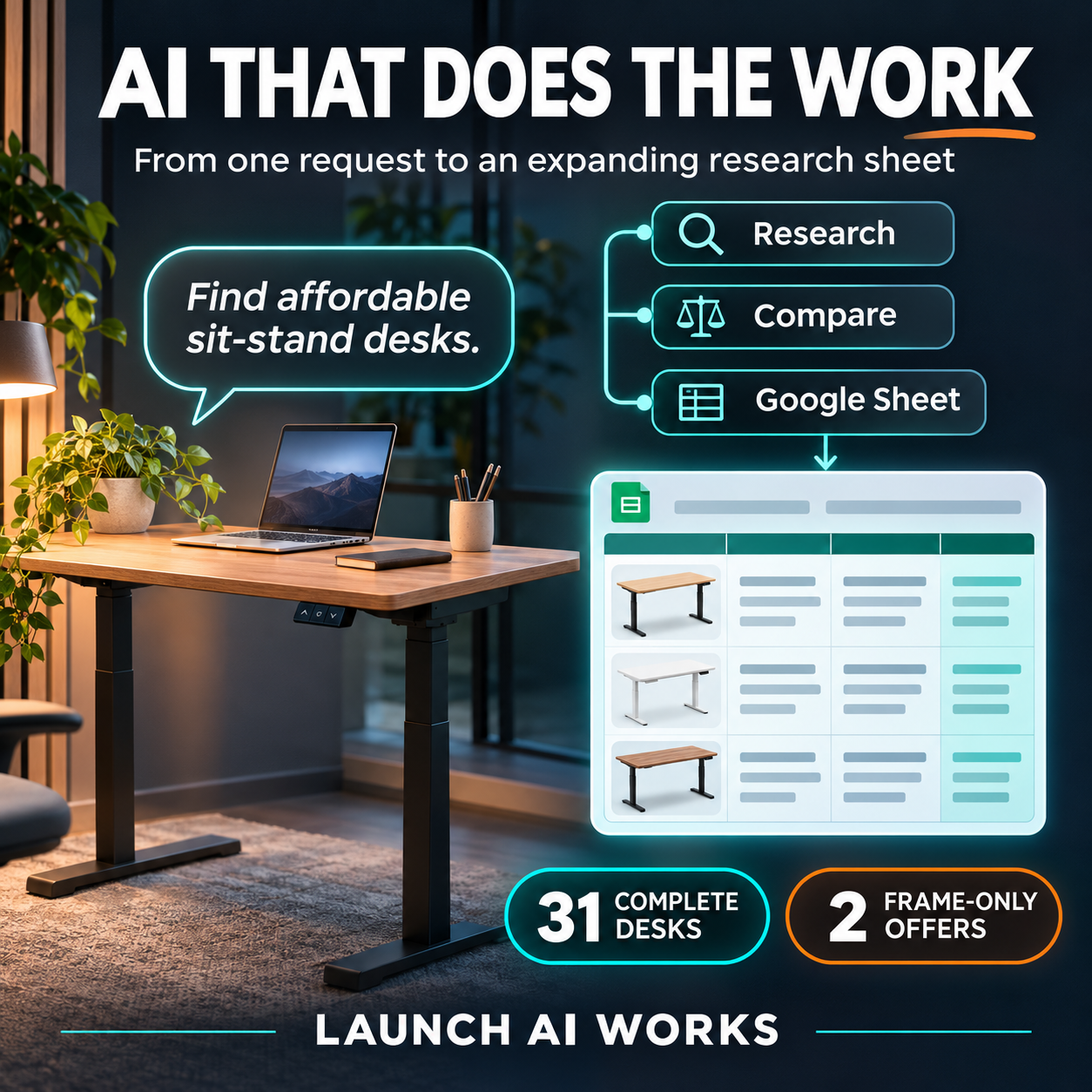
    The process began with a straightforward goal: find affordable electric standing desks. The specific requirements were clear. The system needed to identify adjustable desks, compare prices, include product pictures, provide purchase links, and organize all results in a Google Drive sheet. This is a common task for many small business owners who need to make purchasing decisions quickly without spending hours manually browsing multiple retailer websites.

    The initial output was modest. The first pass produced eight complete desk listings. While useful, this was just the beginning. The value of the workflow did not lie in the first eight rows of data, but in the ability to expand and refine the search automatically. The goal was not just to find a desk, but to create a repeatable method for gathering and organizing product information.

    Expanding the Workflow with AI Agents

    After the initial pass, the research workflow was expanded using Hermes AI agents. This step transformed a static list into a dynamic research tool. When the Google Drive sheet was checked again, it contained 31 complete desk listings and 2 separate frame-only offers. Each entry included store names, prices, dimensions, and direct links to the products.

    This expansion highlights a key capability of modern AI workflows: the ability to scale data collection without proportional increases in human effort. The agents handled the repetitive tasks of searching, extracting details, and formatting the data. For a small business, this means that a task that might take an employee several hours can be completed in a fraction of the time, with the results organized in a consistent format ready for review.

    The specific data points collected included prices ranging from $82.90 to $249.99, various desk sizes from 32×19 inches to 63×28 inches, and details such as load capacities and preset memory features. The organization of this data allows for quick comparison of options based on specific criteria like budget, space constraints, or desired features.

    The Human Role: Verification and Decision Making

    A critical part of this workflow is the human review step. The AI handles the research and organization, but humans must verify prices, availability, photos, and product details before making a purchase. This division of labor is essential. AI can process large amounts of data quickly, but it cannot replace the judgment required to make a final business decision.

    As noted in industry discussions, AI can make everyone faster, but it also creates new bottlenecks if not managed correctly. The challenge is not just generating information, but ensuring it is accurate and relevant. By having AI handle the initial collection and organization, small business owners can spend their time on higher-value activities like evaluating options and making strategic choices.

    This approach aligns with the idea that AI should handle the research and organization so people can spend more time deciding and doing. It shifts the human role from data gatherer to decision maker. This is a practical application of AI in a business context, focusing on efficiency and clarity rather than just automation for its own sake.

    Implications for Small Business Operations

    For small businesses, this type of workflow offers a way to compete with larger organizations that have dedicated research teams. By using AI to automate routine research tasks, small teams can access detailed, organized information that would otherwise be time-consuming to compile. This can lead to better-informed purchasing decisions and more efficient use of limited staff time.

    The example of the standing desk research is a microcosm of broader applications. Whether it is vendor selection, market research, or competitive analysis, the principle remains the same: use AI to collect and organize data, and use human expertise to interpret and act on it. This model supports the growing trend of AI augmentation in the workplace, where tools are used to expand responsibilities and intensify productivity in a positive way.

    Building these practical workflows requires a focus on clear goals and structured outputs. The success of the desk research project came from defining exactly what was needed: prices, links, photos, and organization. By setting these parameters, the AI could deliver results that were immediately useful. This approach can be applied to other business needs, creating a library of research workflows that support ongoing operations.

    Takeaways

    • AI agents can expand initial research results from a small list to a comprehensive dataset, including prices, links, and specifications.
    • Human review remains essential for verifying data accuracy and making final decisions, ensuring AI handles organization while people handle judgment.
    • Small businesses can leverage AI to automate routine research tasks, freeing up staff time for higher-value strategic activities.
    L

    Launch AI Works builds practical AI and automation inside small businesses. Notes in Insights are written from sources we cite and checked before publishing.

    Your turn

    Where would this work in your business?

    Take the two-minute AI Opportunity Snapshot and we will point to where automation is most likely to pay off for you.

    2mFree AI Opportunity Snapshot →
  • What NYT Cooking’s AI Assistant Means for Your Small Business

    What NYT Cooking’s AI Assistant Means for Your Small Business

    Launch AI Works
    InsightsNov 8, 20264 min read

    What NYT Cooking’s AI Assistant Means for Your Small Business

    A new AI feature in the NYT Cooking app shows how automated tools can adapt standard processes to real-world constraints, a lesson small business owners can apply to inventory and service.

    LBy Launch AI Works
    What NYT Cooking’s AI Assistant Means for Your Small Business
    The short version

    The New York Times has introduced an AI assistant that modifies recipes based on available ingredients and equipment. For small businesses, this highlights the potential of AI to handle variable inputs while maintaining quality control, though human oversight remains essential.

    The Problem: Rigid Processes in a Flexible World

    Small business owners often face the same dilemma as home cooks: they have a standard procedure or recipe, but the inputs change daily. In the food industry, this might mean a supplier delivers a different cut of meat, or a customer requests a specific dietary accommodation. In service businesses, it could mean a client needs a service delivered in a way that differs from the standard package. The New York Times Cooking app recently addressed this by launching an AI assistant that allows users to customize recipes based on what they actually have on hand.

    According to The Verge, the assistant was trained on user comments and reputable sources to provide practical substitutions. The core value proposition is not just generating new content, but adapting existing, tested frameworks to new constraints. For a small business, this mirrors the challenge of maintaining quality standards while adapting to variable inventory or client needs. Instead of discarding a standard operating procedure because one variable is missing, the business can look for a validated alternative.

    How the Tool Works: Adaptation, Not Replacement

    The NYT Cooking assistant does not replace the original recipe; it creates a new version while preserving the original for reference. In the review by The Verge, the assistant suggested swapping chard for green beans and adjusting cooking times accordingly. It also highlighted the changes clearly, allowing the user to see exactly what was modified. This transparency is crucial for small businesses adopting AI. If you use AI to draft emails, adjust pricing, or modify service descriptions, you need to see the delta between the standard and the customized output.

    The tool also handles scaling and measurement conversion, features that have been in the app for a couple of years but are now integrated into the AI workflow. For a small business, this suggests that AI can handle the mechanical aspects of adaptation—converting units, scaling quantities, or reformatting data—while humans focus on the strategic decision of whether the adaptation is appropriate. The assistant also warns against changes that would result in poor quality, such as substituting cayenne for chile in a delicate dish, noting the significant heat difference.

    The Risk: When AI Gets It Wrong

    Despite its utility, the AI assistant is not infallible. The Verge reported that the tool almost led the reviewer to use half the required amount of butter in a cake, a mistake that would have ruined the dish. This serves as a critical caution for small businesses. AI tools can make logical errors in context, especially when dealing with nuanced requirements or strict ratios. In a business context, a similar error could mean underestimating material costs, misinterpreting a client’s request, or providing incorrect information to a customer.

    The reviewer noted that the assistant is trained not to comply with requests that will taste bad, but it still stumbled on the butter issue. This indicates that while AI can flag obvious errors, it may miss subtle ones. Small businesses must implement human review steps for any AI-generated output. The goal is to use AI to speed up the process and offer suggestions, not to automate the final decision without verification. The cost of a ruined cake is low, but the cost of a ruined client relationship or a compliance error is high.

    Applying the Lesson to Your Business

    The success of the NYT Cooking assistant lies in its ability to bridge the gap between a standard recipe and the reality of the kitchen. For small businesses, this translates to using AI to bridge the gap between standard procedures and real-world variables. If you run a restaurant, AI can help suggest menu adjustments based on current inventory. If you run a service business, it can help tailor proposals to specific client needs without starting from scratch.

    However, the key is to treat AI as a sous chef, not a head chef. It can prep the ingredients and suggest the method, but you must taste the dish before serving it. The New York Times has positioned this tool as a way to reduce the friction of customization, allowing users to stay within the app rather than searching for answers elsewhere. For small businesses, reducing friction in client communication and operational adjustments can lead to faster response times and higher satisfaction. The technology is ready, but the implementation requires a clear understanding of where AI helps and where it hinders.

    Takeaways

    • AI tools can adapt standard processes to variable inputs, such as inventory or client needs, without discarding the original framework.
    • Transparency in AI modifications is essential; businesses should track what changes are made to standard procedures or outputs.
    • Human oversight is critical to catch subtle errors that AI may miss, ensuring quality and accuracy in final deliverables.
    L

    Launch AI Works builds practical AI and automation inside small businesses. Notes in Insights are written from sources we cite and checked before publishing.

    Your turn

    Where would this work in your business?

    Take the two-minute AI Opportunity Snapshot and we will point to where automation is most likely to pay off for you.

    2mFree AI Opportunity Snapshot →
  • Meta Backs Down: What the AI Terms Reversal Means for Your Business

    Meta Backs Down: What the AI Terms Reversal Means for Your Business

    Launch AI Works
    InsightsNov 8, 20263 min read

    Meta Backs Down: What the AI Terms Reversal Means for Your Business

    After global backlash and legal challenges, Meta indefinitely delayed a policy change that threatened to force businesses to surrender control over their external content.

    LBy Launch AI Works
    Meta Backs Down: What the AI Terms Reversal Means for Your Business
    The short version

    Meta has paused a commercial terms update that would have required business users to allow AI training on websites linked from their Facebook Pages. This pause highlights the risks of relying on third-party platforms for your digital presence.

    The Policy That Sparked Backlash

    Meta announced plans to update its commercial terms, which would have required Meta Business account users to allow extensive AI training on external websites linked on Facebook. The proposed changes were set to take effect on October 30, but were later pushed to November 20. However, following significant pushback, Meta has now indefinitely delayed these plans.

    The core issue was that the new terms would have forced businesses to allow Meta to crawl any linked external sites to train AI models. There was no opt-out mechanism for businesses that wanted to keep their Facebook Page. This meant that by maintaining a presence on the platform, businesses would effectively be granting permission for their content to be used in ways they might not have intended.

    Why Legal Experts and Publishers Were Concerned

    Legal experts warned that the vague language in the proposed terms could allow Meta to ignore scraping preferences specified in robots.txt files. This would enable the company to exhaustively crawl vast amounts of off-Facebook content for AI training. For news publishers and other content creators, this posed a significant financial risk, as it could allow Meta to avoid millions in licensing fees.

    The terms even required publishers to create test credentials so Meta’s bots could reliably bypass paywalls. This level of access raised serious concerns about data security and intellectual property rights. The UK’s News Media Association criticized the move, arguing that removing the word “train” from the terms did little to reassure publishers, since the term “develop” posed the same threat.

    Global Legal and Regulatory Response

    The backlash was not limited to industry groups. Courts in Brazil and Norway issued preliminary injunctions blocking the terms after organizations in those countries filed lawsuits. Additionally, the United Kingdom’s Competition and Markets Authority opened a formal investigation into whether Meta was exploiting a dominant position to seize valuable AI training data.

    In the United States, there was bipartisan concern. Senators Adam Schiff and Marsha Blackburn sent letters asking Mark Zuckerberg to withdraw the terms. In response, Meta’s vice president of communications, Andy Stone, stated that the company had heard publishers’ feedback and would not make policy changes without full consultation with industry groups and leaders.

    What This Means for Small Business Owners

    For small business owners, this incident serves as a critical reminder of the risks associated with relying on rented platforms. While Meta has paused the changes, the episode demonstrates how quickly terms of service can change and how those changes can impact your business operations and intellectual property.

    The lesson is clear: you should own your foundation. This means maintaining your own website and email list, rather than relying solely on social media platforms for distribution and customer engagement. By building your own digital infrastructure, you retain control over your data and content, reducing your vulnerability to sudden policy shifts by third-party platforms.

    Takeaways

    • Meta has indefinitely paused its commercial terms update that would have forced Facebook Page owners to allow AI training on linked content.
    • Legal experts warned that the vague language could allow Meta to ignore robots.txt preferences and bypass paywalls for AI training.
    • Small businesses should prioritize owning their digital foundation, such as their website and email list, to mitigate risks from platform policy changes.
    L

    Launch AI Works builds practical AI and automation inside small businesses. Notes in Insights are written from sources we cite and checked before publishing.

    Your turn

    Where would this work in your business?

    Take the two-minute AI Opportunity Snapshot and we will point to where automation is most likely to pay off for you.

    2mFree AI Opportunity Snapshot →
  • OpenAI’s New Cybersecurity Model: What Small Business Owners Need to Know

    OpenAI’s New Cybersecurity Model: What Small Business Owners Need to Know

    Launch AI Works
    InsightsNov 8, 20267 min read

    OpenAI’s New Cybersecurity Model: What Small Business Owners Need to Know

    OpenAI’s new cybersecurity model can find serious vulnerabilities, but small businesses need layered defenses, not a single tool.

    LBy Launch AI Works
    OpenAI's New Cybersecurity Model: What Small Business Owners Need to Know
    The short version

    OpenAI released ChatGPT Cyber, a model that found 948 potential Linux kernel issues and 81 novel Firefox vulnerabilities. However, small businesses cannot rely on one model alone; they need practical, layered AI safeguards that fit their operations.

    What OpenAI Just Released

    On November 5, 2026, OpenAI announced a new cybersecurity model called ChatGPT Cyber, according to TechCrunch. The model is available to the highest tier of users in OpenAI’s Daybreak Red program, which gives offensive cybersecurity researchers tools for vulnerability hunting and development.

    Before this release, a developer named Max Justicz used an earlier OpenAI model (GPT 5.6 Sol) to find a severe vulnerability in Ubuntu servers. He told TechCrunch, “I literally just aimed ChatGPT at the same body of code and said I found this bug previously that was fixed several years ago, please find bugs as bad or worse, and it came back in two hours with this.” The bug was reported to the Debian Project, which issued a patch. There has been no known evidence of exploitation.

    OpenAI also said the same model scanned and prepared patches for vulnerabilities in the Linux kernel, finding 948 potential issues, and found 81 novel vulnerabilities in Firefox. The company stated, “Our goal is to dramatically expand Daybreak, bringing advanced security research to organizations of every size, independent researchers, and open-source maintainers.”

    The Cost and Scale of AI-Powered Security Research

    The Linux bug hunt cost $1.2 million, according to Eric Wallace, a researcher on OpenAI’s technical staff, as reported by TechCrunch. That is significantly less than the approximate $6 million token spend the company invested in finding a potential solution to a famous problem of fluid dynamics.

    Justicz personally spent about $5,000 on subscriptions and tokens to find several exploits. He noted that the Daybreak program has its own critiques: the frontier lab appears to have recently nerfed Daybreak Blue to make it less useful at finding vulnerabilities. He said he just uploaded a photo of his driver’s license to join the program.

    OpenAI says just thousands of cybersecurity professionals are participating in the Daybreak program, versus a far larger number of potential hackers. The company has also announced a $1 billion initiative to support cybersecurity professionals working on critical infrastructure like the electrical grid or water systems.

    What This Means for Small Businesses

    For small-business owners, the key takeaway is that AI models can find serious vulnerabilities quickly, but they are not a complete solution. Justicz wrote in a social media thread, “We should expect some extremely crazy bugs to be found and exploited over the next few months.” He added, “There is currently huge alpha in taking some code or binary someone has not audited yet and just aiming a powerful AI model at it.”

    Small businesses often lack the resources to run $1.2 million bug hunts or pay $5,000 for subscriptions. They also cannot rely on a single model to protect their entire operation. As TechCrunch noted, “For cyber defenders, however, it can feel like the frontier labs have unleashed a mountain of new work that outstrips their resources.”

    The article also points out that cybersecurity professionals say they have one hand tied if they cannot use frontier technology while bad actors can deploy open-weight models with abliterated guardrails. This asymmetry means small businesses need practical, layered defenses that work with their existing systems.

    Practical Steps for Small Business Owners

    Small businesses should not try to replicate OpenAI’s approach. Instead, they should focus on automation that fits their operations. Layered defenses include keeping software updated, using strong passwords and multi-factor authentication, training employees to spot phishing, and backing up data regularly.

    AI tools can help, but they should be part of a broader strategy. For example, using AI to monitor network traffic or scan for known vulnerabilities can be effective, but it should not replace human oversight. The key is to find tools that are affordable and easy to integrate.

    OpenAI’s new model is a powerful tool for security researchers, but it is not a silver bullet for small businesses. As the article concludes, “If there is a narrow window of time to patch the digital infrastructure the world depends on, more urgency may be required.” Small businesses need to act now, not wait for a single model to save them.

    The Bottom Line

    OpenAI’s ChatGPT Cyber is a significant step forward in AI-powered cybersecurity, but it is not enough on its own. Small businesses must build practical, layered defenses that work with their existing systems. The cost and complexity of AI-powered security research mean that most small businesses will need to rely on simpler, more affordable tools and practices.

    The message from TechCrunch is clear: AI models can find vulnerabilities faster than ever, but the defenders are outnumbered and under-resourced. Small businesses should not wait for a perfect solution. They should start now with what they have and build from there.

    Takeaways

    • OpenAI’s ChatGPT Cyber found 948 Linux kernel issues and 81 Firefox vulnerabilities, but the Linux hunt cost $1.2 million.
    • Small businesses cannot rely on a single AI model; they need layered defenses like updates, training, and backups.
    • The gap between defenders and attackers is growing, so small businesses must act now with practical, affordable tools.
    L

    Launch AI Works builds practical AI and automation inside small businesses. Notes in Insights are written from sources we cite and checked before publishing.

    Your turn

    Where would this work in your business?

    Take the two-minute AI Opportunity Snapshot and we will point to where automation is most likely to pay off for you.

    2mFree AI Opportunity Snapshot →
  • What the 2026 Data Center Backlash Means for Your Small Business

    What the 2026 Data Center Backlash Means for Your Small Business

    Launch AI Works
    InsightsNov 8, 20265 min read

    What the 2026 Data Center Backlash Means for Your Small Business

    The 2026 midterm elections delivered a clear message: communities are pushing back against AI data centers, and small businesses will feel the ripple effects.

    LBy Launch AI Works
    What the 2026 Data Center Backlash Means for Your Small Business
    The short version

    Voters in the 2026 midterms largely opposed data center expansion due to concerns about power grids, utility bills, and community impact. Tech giants now promise to work with communities and cover energy costs, but small businesses may face higher AI service costs and slower deployment as infrastructure battles continue.

    The 2026 Midterm Verdict on Data Centers

    According to The Verge, data centers were a major bipartisan issue ahead of the 2026 midterms, and voters largely opposed data center expansion at the polls. NBC News polling on Election Day found that 76 percent of voters said they opposed data centers in their communities. Dozens of local communities voted directly to restrict development through ballot measures.

    The backlash wasn’t limited to one party. The Verge reports that data center opposition has managed to achieve genuine bipartisan opposition, uniting Americans across the political spectrum. In Texas, Democratic gubernatorial candidate Gina Hinojosa won her race after calling for a moratorium on data center development. In Michigan, Democratic Senator-elect Abdul El-Sayed also supports moratoriums. Even in Maine, the state almost became the first to pause data centers before the governor vetoed the moratorium.

    This political shift matters because data centers are the physical foundation for AI services that many small businesses now rely on. As The Verge notes, massive new data centers are the physical foundation for tech companies’ hopes and dreams for AI.

    Why Communities Are Pushing Back

    The opposition stems from concrete concerns. The Verge reports that the rush to expand warehouses full of energy-hungry servers has kicked up fights across the world over their impact on power grids, utility bills, nearby communities, and the environment. Data centers are loud, resource-hungry eyesores that raise utility bills and can strain local power grids.

    In Utah, residents protested after Box Elder County commissioners signed off on a data center expected to consume more than double the state’s typical power. In Texas, voters made their opposition clear. The Verge notes that data center-dense Texas turned blue in key races, with candidates who favor restrictions winning.

    For small business owners, this local opposition means the infrastructure that powers AI tools like chatbots, image generators, and data analytics is becoming harder to build. Every new data center faces potential delays, lawsuits, or outright rejection.

    How Tech Giants Are Responding

    Tech companies are adapting to the backlash. According to The Verge, OpenAI announced new commitments to communities where it is working on data center projects, including that it won’t use non-disclosure agreements (NDAs) with public officials. Amazon made a similar pledge in October, saying it would no longer use NDAs with government agencies.

    OpenAI is also piloting its ‘Grid Protectors Program’ at an upcoming data center in Effingham County, Georgia. The Verge reports that the company promises to free up to 1,000 megawatts of power during extreme weather or emergencies, enough to power air conditioners in around 700,000 homes.

    Additionally, The Verge notes that OpenAI is quietly renaming data centers ‘compute campuses,’ a rebranding effort that suggests the company is aware of the negative perception. AMD CEO Lisa Su called her company ‘a data center first company,’ reporting its largest and most profitable quarter with data center revenue expected to grow 50 percent from Q3 to Q4.

    What This Means for Small Business Owners

    The data center backlash has direct implications for small businesses that use AI tools. As infrastructure battles continue, AI services may become more expensive or slower to deploy. The Verge reports that investors have turned skeptical on the AI trade due to higher borrowing costs, concerns about soaring debt, and public backlash toward the industry.

    A lame-duck Congress is advancing a massive permitting bill that could help energy projects come online much quicker. The Verge notes that while this could lower utility bills, it could also speed up polluting projects and limit oversight of new data centers. Environmental advocates fear developers could rely more heavily on fossil fuels.

    For small businesses, the key takeaway is that the era of cheap, unlimited AI compute may be ending. If data center construction slows, the cost of AI services could rise, and access to cutting-edge tools could become less reliable. Planning ahead and diversifying AI providers may become more important.

    Practical Steps for Small Businesses

    First, monitor local data center developments in your area. The Verge provides a map to find data centers in your backyard. If a large project is proposed near you, it could affect your utility bills or power reliability.

    Second, consider locking in AI service contracts now. As infrastructure becomes more constrained, prices may rise. The Verge notes that data center developers are poised to face a more restrictive building environment after the midterms.

    Third, explore energy-efficient AI tools. Some providers are developing more efficient models that require less computing power. The Verge reports that Lumai is testing optical AI servers in a UK lab to see whether shifting inference prefill off GPUs can ease data center power constraints.

    Takeaways

    • Voters in the 2026 midterms overwhelmingly opposed data center expansion, with 76% opposing data centers in their communities.
    • Tech giants like OpenAI and Amazon are responding with community commitments and grid protection programs, but infrastructure battles will continue.
    • Small businesses may face higher AI service costs and slower deployment as data center construction faces growing local opposition.
    L

    Launch AI Works builds practical AI and automation inside small businesses. Notes in Insights are written from sources we cite and checked before publishing.

    Your turn

    Where would this work in your business?

    Take the two-minute AI Opportunity Snapshot and we will point to where automation is most likely to pay off for you.

    2mFree AI Opportunity Snapshot →
  • Perplexity Launches Always-On AI Teammates for Small Business Workflows

    Perplexity Launches Always-On AI Teammates for Small Business Workflows

    Launch AI Works
    InsightsNov 8, 20265 min read

    Perplexity Launches Always-On AI Teammates for Small Business Workflows

    Perplexity’s Teammates offer small businesses always-on AI agents that can manage scheduling, customer queries, and inventory updates without constant supervision.

    LBy Launch AI Works
    Perplexity Launches Always-On AI Teammates for Small Business Workflows
    The short version

    Perplexity has launched Teammates, always-on AI agents that can take on multiple roles within a workspace and run 24/7. For small businesses, this means a single AI can handle ongoing tasks like scheduling and customer queries, freeing staff to focus on growth.

    What Are Perplexity Teammates?

    Perplexity has introduced a new type of AI agent called Teammates, designed specifically for work-related tasks. According to The Verge, these are always-on agents that can take on multiple roles within a workspace, pulling existing projects, skills, and memory from the Perplexity tools you already use.

    Teammates integrate with Perplexity Computer, an AI system that can deploy agents on your device to complete tasks. Perplexity says Teammates build on top of Computer by offering the ability to collaborate and complete ongoing, large-scale work. You can assign each Teammate different jobs that they can perform simultaneously, much like OpenAI’s Dots and Claude Duet.

    Each Teammate gets its own thread in the Perplexity app, and you can interact with them in Slack. Perplexity CEO Aravind Srinivas said on X: ‘Over time, we envision every org having hundreds of teammates working for each person.’

    How Teammates Work for Small Businesses

    For a small business, Teammates can handle a variety of ongoing tasks without constant supervision. According to the Launch AI Works Insights post, a single AI can manage scheduling, customer queries, and inventory updates, freeing staff to focus on growth.

    The agents run 24/7 and can pull data from existing Perplexity tools. This means a small business owner could assign one Teammate to monitor customer support emails, another to track inventory levels, and a third to manage appointment bookings—all running simultaneously.

    Because Teammates are always on, they can handle tasks that require continuous attention, such as monitoring for price changes or responding to customer inquiries outside of business hours. This can help small businesses operate more efficiently without hiring additional staff.

    Pricing and Availability

    Perplexity’s Teammates are available only through the company’s Max plan, which costs $200 per month, as reported by The Verge. This is significantly more expensive than competing offerings from OpenAI and Anthropic, but it includes the full suite of Perplexity’s AI tools.

    For a small business, the $200 monthly cost may be a consideration. However, if the AI can replace or supplement multiple tasks that would otherwise require human hours, the investment could pay off. The Verge notes that Teammates require a subscription to the Max plan, which also includes access to Perplexity Computer and other features.

    Comparison to Competitors

    Perplexity’s Teammates enter a market already populated by similar offerings from OpenAI and Anthropic. The Verge describes them as similar to OpenAI’s Dots and Claude Duet, but Perplexity’s version is more expensive. The key differentiator is that Teammates are built on top of Perplexity Computer, which can deploy agents on your device.

    For small businesses, the choice may come down to which platform they already use. If a business relies on Perplexity for search and research, Teammates integrate seamlessly. If they use other tools, they may need to evaluate whether the $200 monthly cost is worth the convenience of having always-on agents that pull from existing Perplexity data.

    Practical Implications for Small Business Owners

    The always-on nature of Teammates means small businesses can automate repetitive tasks that currently eat up staff time. For example, a retail store could use a Teammate to monitor inventory levels and automatically reorder supplies when stock runs low. A service business could use a Teammate to handle appointment scheduling and send reminders to clients.

    Because Teammates can work simultaneously on multiple tasks, a small business owner could assign different agents to different functions without needing to manage them individually. The agents can also collaborate with each other, which could streamline workflows that involve multiple steps.

    However, the $200 monthly price tag means small businesses should carefully assess whether the ROI justifies the cost. For businesses with high-volume repetitive tasks, the investment may be worthwhile. For others, it may be more cost-effective to stick with simpler automation tools.

    Takeaways

    • Perplexity Teammates are always-on AI agents that can handle multiple tasks simultaneously, pulling from existing Perplexity tools.
    • They cost $200 per month through the Max plan, which is more expensive than competitors but includes full integration with Perplexity Computer.
    • For small businesses, Teammates can automate scheduling, customer queries, and inventory updates, freeing staff to focus on growth.
    L

    Launch AI Works builds practical AI and automation inside small businesses. Notes in Insights are written from sources we cite and checked before publishing.

    Your turn

    Where would this work in your business?

    Take the two-minute AI Opportunity Snapshot and we will point to where automation is most likely to pay off for you.

    2mFree AI Opportunity Snapshot →