Category: Insights

Practical writing on AI operations, automation and running a business with AI that works.

  • From One Desk Request to an Expanding AI Research Workflow

    From One Desk Request to an Expanding AI Research Workflow

    Launch AI Works
    InsightsNov 8, 20264 min read

    From One Desk Request to an Expanding AI Research Workflow

    A single shopping request became a scalable research system, showing how AI can handle data collection while humans focus on decision-making.
    LBy Launch AI Works
    From One Desk Request to an Expanding AI Research Workflow
    The short version

    An initial request for affordable standing desks expanded from eight listings to thirty-three organized entries using AI agents. This demonstrates how small businesses can use AI to automate research and organization, leaving human time for verification and final decisions.

    The Starting Point: A Simple Shopping Request

    The process began with a straightforward goal: find affordable electric standing desks. The specific requirements were clear. The system needed to identify adjustable desks, compare prices, include product pictures, provide purchase links, and organize all results in a Google Drive sheet. This is a common task for many small business owners who need to make purchasing decisions quickly without spending hours manually browsing multiple retailer websites.

    The initial output was modest. The first pass produced eight complete desk listings. While useful, this was just the beginning. The value of the workflow did not lie in the first eight rows of data, but in the ability to expand and refine the search automatically. The goal was not just to find a desk, but to create a repeatable method for gathering and organizing product information.

    Expanding the Workflow with AI Agents

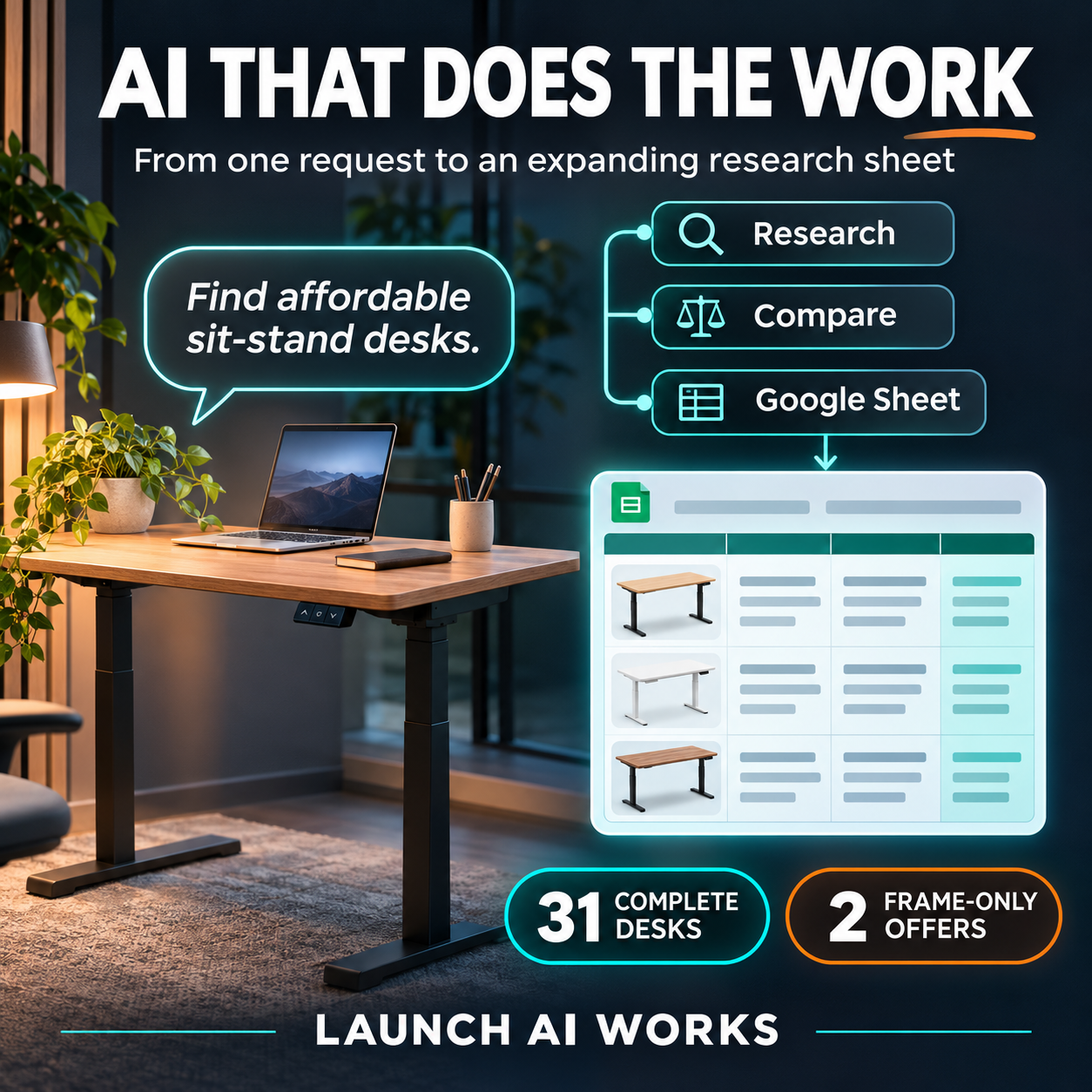
    After the initial pass, the research workflow was expanded using Hermes AI agents. This step transformed a static list into a dynamic research tool. When the Google Drive sheet was checked again, it contained 31 complete desk listings and 2 separate frame-only offers. Each entry included store names, prices, dimensions, and direct links to the products.

    This expansion highlights a key capability of modern AI workflows: the ability to scale data collection without proportional increases in human effort. The agents handled the repetitive tasks of searching, extracting details, and formatting the data. For a small business, this means that a task that might take an employee several hours can be completed in a fraction of the time, with the results organized in a consistent format ready for review.

    The specific data points collected included prices ranging from $82.90 to $249.99, various desk sizes from 32×19 inches to 63×28 inches, and details such as load capacities and preset memory features. The organization of this data allows for quick comparison of options based on specific criteria like budget, space constraints, or desired features.

    The Human Role: Verification and Decision Making

    A critical part of this workflow is the human review step. The AI handles the research and organization, but humans must verify prices, availability, photos, and product details before making a purchase. This division of labor is essential. AI can process large amounts of data quickly, but it cannot replace the judgment required to make a final business decision.

    As noted in industry discussions, AI can make everyone faster, but it also creates new bottlenecks if not managed correctly. The challenge is not just generating information, but ensuring it is accurate and relevant. By having AI handle the initial collection and organization, small business owners can spend their time on higher-value activities like evaluating options and making strategic choices.

    This approach aligns with the idea that AI should handle the research and organization so people can spend more time deciding and doing. It shifts the human role from data gatherer to decision maker. This is a practical application of AI in a business context, focusing on efficiency and clarity rather than just automation for its own sake.

    Implications for Small Business Operations

    For small businesses, this type of workflow offers a way to compete with larger organizations that have dedicated research teams. By using AI to automate routine research tasks, small teams can access detailed, organized information that would otherwise be time-consuming to compile. This can lead to better-informed purchasing decisions and more efficient use of limited staff time.

    The example of the standing desk research is a microcosm of broader applications. Whether it is vendor selection, market research, or competitive analysis, the principle remains the same: use AI to collect and organize data, and use human expertise to interpret and act on it. This model supports the growing trend of AI augmentation in the workplace, where tools are used to expand responsibilities and intensify productivity in a positive way.

    Building these practical workflows requires a focus on clear goals and structured outputs. The success of the desk research project came from defining exactly what was needed: prices, links, photos, and organization. By setting these parameters, the AI could deliver results that were immediately useful. This approach can be applied to other business needs, creating a library of research workflows that support ongoing operations.

    Takeaways

    • AI agents can expand initial research results from a small list to a comprehensive dataset, including prices, links, and specifications.
    • Human review remains essential for verifying data accuracy and making final decisions, ensuring AI handles organization while people handle judgment.
    • Small businesses can leverage AI to automate routine research tasks, freeing up staff time for higher-value strategic activities.
    L

    Launch AI Works builds practical AI and automation inside small businesses. Notes in Insights are written from sources we cite and checked before publishing.

    Your turn

    Where would this work in your business?

    Take the two-minute AI Opportunity Snapshot and we will point to where automation is most likely to pay off for you.


    2mFree AI Opportunity Snapshot →
  • AI Spending Stalls: What It Means for Your Business

    AI Spending Stalls: What It Means for Your Business

    Launch AI Works
    InsightsNov 8, 20264 min read

    AI Spending Stalls: What It Means for Your Business

    New data reveals that while AI usage is increasing, spending has stalled due to price competition and smarter budgeting, creating opportunities for cost-conscious small businesses.

    LBy Launch AI Works
    AI Spending Stalls: What It Means for Your Business
    The short version

    Ramp data indicates that AI spending growth slowed to 1.5% in late summer, down from 42% in July. This shift is driven by price cuts from major providers and businesses adopting stricter cost controls.

    The Spending Slowdown

    A new report from Ramp, a corporate card and expense platform, indicates that AI spending has flatlined over the late summer months. According to the data, token spend only grew 1.5% across August and September. This is a sharp deceleration compared to July, when spending grew 42% from the previous month. The data suggests that while companies are using more AI, they are not spending more on it.

    Ramp’s lead economist, Ara Kharazian, noted that almost the entire spend on AI is from venture-backed, high-growth tech companies. He warned that if this spend starts to slow down due to market factors, it could lead to cascading effects across the industry. The data shows that the top 1% of firms, which are the most heavily invested in AI, have seen a slight stutter in their spending. These firms were hitting peaks of $10,000 per employee in the summer, but their spend has come up just below that mark in recent months.

    Why Prices Are Dropping

    The slowdown in spending is not due to a lack of demand. In fact, AI volumes are rising. Instead, the primary driver is the competitive nature of the marketplace. OpenAI and Anthropic have both made significant price cuts. In September, OpenAI cut API prices in half for GPT-6 Sol and GPT-6 Luna. Anthropic has also reduced pricing for Fable 5.1 and Opus 5.5, a decision that the company said in a recent filing slashed revenue growth by about $600 million.

    These price cuts have created a buyer’s market. Kharazian pointed out that other companies, including Meta and Nvidia, are introducing enterprise offerings with cheaper or open-source models. Additionally, new tools like Jev, a lightweight tool for choosing between predetermined outputs, are becoming popular for simple tasks. This competition means that businesses can complete workloads at a much lower cost than before. The era of hypergrowth may be over, replaced by a focus on efficiency and cost management.

    Smarter Cost Controls

    Beyond price cuts, businesses are becoming better at controlling their AI costs. Kharazian observed that as companies get more advanced in using AI, they become better at figuring out how to control it. They are more likely to use defaults that prevent the usage of very expensive models for long-running tasks. They are also more likely to impose budgets on employees and offload spend from standard models to cheaper ones via routers.

    Notion co-founder Akshay Kothari recently shared internal data that matched Ramp’s insights, noting that while tokens are increasing, costs are decreasing. This trend is significant for small businesses because it means that the cost of entry for effective AI usage is dropping. You do not need to spend $10,000 per employee to get value. Median firms spend $12 to $15 per employee per month, and the top 10% spend $600 to $1,000. For most small businesses, the goal is not to match the top 1% but to find the right balance of cost and utility.

    Implications for Small Businesses

    For small business owners, this market shift is a positive development. The hype premium is disappearing. You no longer need to pay top dollar for AI tools that may not be the most efficient for your specific needs. The market is now focused on providing value at lower price points. This is a good time to invest in AI tools without the pressure of keeping up with the most aggressive spenders in the tech sector.

    However, it is important to be realistic about your needs. Kharazian noted that it is not necessarily true that a doctor’s office or a car dealership will need to spend as much on AI as a software company. The use cases for small businesses are often simpler, such as basic decision-making or routine tasks. By leveraging cheaper models and tighter cost controls, you can achieve significant productivity gains without inflating your budget. The key is to focus on specific use cases where AI provides clear value, rather than adopting tools for the sake of adoption.

    Takeaways

    • AI spending growth slowed to 1.5% in late summer, down from 42% in July, indicating a market correction.
    • Price cuts from major providers like OpenAI and Anthropic have made AI tools more affordable for small businesses.
    • Businesses are adopting stricter cost controls, such as using cheaper models for routine tasks, to maximize ROI.
    L

    Launch AI Works builds practical AI and automation inside small businesses. Notes in Insights are written from sources we cite and checked before publishing.

    Your turn

    Where would this work in your business?

    Take the two-minute AI Opportunity Snapshot and we will point to where automation is most likely to pay off for you.

    2mFree AI Opportunity Snapshot →
  • Activepieces: Open-Source AI Workflow Automation for Small Business

    Activepieces: Open-Source AI Workflow Automation for Small Business

    Launch AI Works
    InsightsNov 8, 20266 min read

    Activepieces: Open-Source AI Workflow Automation for Small Business

    Activepieces is an open-source, AI-first workflow automation tool that lets small businesses connect apps, build automations, and deploy AI agents without coding or per-task pricing.

    LBy Launch AI Works
    Activepieces: Open-Source AI Workflow Automation for Small Business
    The short version

    Activepieces is an open-source alternative to Zapier that combines AI agents, MCP servers, and 200+ integrations in a self-hosted platform. Small businesses can automate repetitive tasks like follow-up emails, lead routing, and spreadsheet updates without monthly subscription fees or per-task costs.

    What Is Activepieces?

    Activepieces is an open-source, AI-first workflow automation platform designed as a replacement for tools like Zapier and Make. According to its GitHub repository, it is described as “an open source replacement for Zapier” and “all-in-one AI automation designed to be extensible through a type-safe pieces framework written in TypeScript.” The platform includes over 200 pieces (integrations) and approximately 400 MCP servers for AI agents. It is released under the MIT license for the Community Edition, with enterprise features under a commercial license.

    The platform was founded in 2022 by Mohammad AbuAboud and Ashraf Samhouri, has 10 employees, and is based in San Francisco, according to its Y Combinator profile. It is self-hosted, meaning you run it on your own servers or infrastructure, giving you full control over your data.

    Key Features for Small Business Owners

    Activepieces includes several features that are directly useful for small businesses. The GitHub repository lists builder features such as loops, branches, auto retries, HTTP code with NPM, and an “ASK AI in Code Piece” that lets non-technical users clean data without knowing how to code. Flows are fully versioned, and the platform supports translations and customizable templates.

    The platform also includes human-in-the-loop capabilities: you can delay execution for a period of time or require approval before an action proceeds. It has built-in support for human input triggers like a chat interface and a form interface. These features are built on top of the piece framework, meaning you can create custom pieces for your specific business needs.

    Activepieces is described as “secure by design” because it is self-hosted and can be network-gapped for maximum security and control over your data. This is especially important for small businesses that handle sensitive customer or financial information.

    How It Helps Small Businesses Save Time and Money

    For a small business, the main benefit is eliminating repetitive manual tasks without paying per-task fees. Activepieces connects to over 200 services including Google Sheets, OpenAI, Discord, and RSS. You can build automations like sending follow-up emails when a form is submitted, updating a spreadsheet when a new lead comes in, or routing customer inquiries to the right team member.

    Because it is self-hosted and open source, there are no monthly subscription fees or per-task pricing. The GitHub repository notes that Activepieces is “open source under MIT, on your servers or ours.” This means you can run it on your own infrastructure and avoid the ongoing costs of proprietary automation tools. The platform also includes AI agents and MCP servers, which allow you to integrate with large language models like Claude Desktop, Cursor, or Windsurf without additional licensing costs.

    The platform is designed to be used by both technical and non-technical users. The GitHub repository states it has an “intuitive interface and great experience for both technical and non-technical users with a quick learning curve.” Developers can set up the tools, and anyone in the organization can use the no-code builder.

    What You Need to Know Before Using It

    Activepieces is open source, but it requires some technical setup to self-host. You will need a server or cloud infrastructure to run it. The GitHub repository includes Docker configuration files and deployment scripts, but the setup is not a one-click process. If you are not comfortable with server administration, you may need help from a developer or IT professional.

    The platform has a large community of contributors. The GitHub repository shows over 25,400 stars and 4,400 forks, with 61,813 commits. About 60% of the pieces are contributed by the community. This means the integration library is constantly expanding, but you should verify that the specific integrations you need are available or can be built using the TypeScript framework.

    Activepieces offers both a Community Edition (MIT license) and enterprise features under a commercial license. The feature comparison is available on their pricing page. For most small businesses, the Community Edition should be sufficient, but if you need advanced enterprise features like custom branding or advanced control, you may need the commercial version.

    Getting Started with Activepieces

    To get started, you can visit the official website at activepieces.com or the GitHub repository at github.com/activepieces/activepieces. The GitHub page includes documentation, a contributor’s guide, and links to the community Discord server. The platform supports over 200 pieces, and you can check the full list at activepieces.com/pieces.

    For small business owners who want to try it without self-hosting, Activepieces also offers a cloud-hosted version. However, the open-source, self-hosted option gives you full control over your data and eliminates ongoing subscription costs. The platform is designed to be extensible, so you can build custom integrations using the TypeScript pieces framework.

    If you are new to workflow automation, start by identifying one repetitive task in your business—like sending a welcome email when someone signs up or updating a CRM when a lead is created. Build a simple flow using the no-code builder, then expand from there. The platform includes templates and an AI assistant to help you build flows.

    Takeaways

    • Activepieces is an open-source, self-hosted alternative to Zapier that eliminates per-task pricing and monthly subscription fees.
    • It includes built-in AI agents, MCP servers, and over 200 integrations, allowing small businesses to automate tasks like email follow-ups, lead routing, and spreadsheet updates.
    • The platform is designed for both technical and non-technical users, with a no-code builder, human-in-the-loop approvals, and AI-assisted flow creation.
    L

    Launch AI Works builds practical AI and automation inside small businesses. Notes in Insights are written from sources we cite and checked before publishing.

    Your turn

    Where would this work in your business?

    Take the two-minute AI Opportunity Snapshot and we will point to where automation is most likely to pay off for you.

    2mFree AI Opportunity Snapshot →
  • Mika: An On‑Device AI Agent That Can Automate Android Tasks for Small Businesses

    Mika: An On‑Device AI Agent That Can Automate Android Tasks for Small Businesses

    Launch AI Works
    InsightsNov 8, 20264 min read

    Mika: An On‑Device AI Agent That Can Automate Android Tasks for Small Businesses

    Mika is an open‑source Android AI assistant that operates apps and the web without leaving the device, offering a low‑cost way for small businesses to automate everyday digital tasks.

    LBy Launch AI Works
    Mika: An On‑Device AI Agent That Can Automate Android Tasks for Small Businesses
    The short version

    Mika runs on your Android phone, interacts with any app or website, and keeps all data on the device. Small business owners can use voice commands to automate ordering, scheduling, and information‑gathering without custom integrations.

    What Mika Is and How It Operates

    Mika is an on‑device AI agent for Android that can open apps, tap buttons, type text, and scroll pages while you continue using the phone normally. It does this on a hidden background screen, so the main display stays free for other work.

    The assistant works with any app or website because it visually identifies UI elements the same way a person does, eliminating the need for per‑app APIs. It can also be called from a web page in its built‑in desktop‑class browser.

    Why It Matters for Small Business Owners

    Routine digital chores—checking inventory, placing supplier orders, responding to customer messages, or pulling reports—often require multiple taps and manual navigation. Mika replaces those steps with a single spoken request, letting owners stay on top of core activities.

    All processing stays on the phone; there is no central Mika server. Data privacy is therefore controlled by the device owner, and the software is released under the Apache‑2.0 license, meaning it is free to use and modify.

    Practical Use Cases You Can Deploy Today

    A shop manager could say, “Find a charger under $30 with at least four‑point‑five stars,” and Mika would browse an online store, add the matching item to the cart, and pause before checkout for confirmation. The same pattern works for ordering office supplies, booking travel, or pulling the latest sales figures from a dashboard.

    Mika also handles scheduling and conditional reminders. For example, “Remind me at 9 am tomorrow if it will rain,” sets a daily weather check and only notifies you when rain is forecast. The agent can read a news feed, summarize a long chat history, or extract key points from a PDF, all without leaving the phone.

    Getting Started and What to Keep in Mind

    To try Mika, download the APK from the Releases page, install it on an Android 11 or later device, and connect a language model via an API key or a sign‑in with a ChatGPT, xAI, or OpenRouter account. Operating other apps requires Android 12 or later, with Android 14 recommended for smoother background interaction.

    The agent runs a Linux sandbox per conversation, supporting Python, Node, and shell scripts on arm64 devices. While the core features are free, you will need a compatible model provider (e.g., OpenAI, Anthropic, Gemini, or any OpenAI‑compatible endpoint) for the natural‑language processing.

    Takeaways

    • Mika automates app and web actions on Android without needing custom integrations.
    • All data stays on the device, offering privacy and a free, open‑source solution.
    • Small businesses can use voice commands to streamline ordering, scheduling, and information retrieval.
    L

    Launch AI Works builds practical AI and automation inside small businesses. Notes in Insights are written from sources we cite and checked before publishing.

    Your turn

    Where would this work in your business?

    Take the two-minute AI Opportunity Snapshot and we will point to where automation is most likely to pay off for you.

    2mFree AI Opportunity Snapshot →
  • Hermes Agent: A Practical Guide for Small Business Automation

    Hermes Agent: A Practical Guide for Small Business Automation

    Launch AI Works
    InsightsNov 8, 20264 min read

    Hermes Agent: A Practical Guide for Small Business Automation

    This open-source agent builds a learning loop that remembers your workflows, reducing the need for manual setup of routine digital tasks.

    LBy Launch AI Works
    Hermes Agent: A Practical Guide for Small Business Automation
    The short version

    Hermes Agent creates skills from experience and maintains context across sessions, allowing it to handle recurring tasks like reports and backups. It runs on low-cost infrastructure and connects to various messaging platforms, offering a flexible alternative to generic AI assistants.

    What Hermes Agent Is

    Hermes Agent is an open-source AI agent developed by Nous Research and released under the MIT license. Unlike standard chatbots that reset after every conversation, this tool features a built-in learning loop. It creates skills from previous experiences and improves them during use. According to the official documentation, it also searches its own past conversations and builds a model of the user across sessions. This means the assistant does not start from zero each time it is used.

    The project is hosted on GitHub, where it has accumulated significant community attention, with over 260,000 stars and 58,000 forks. The source code is available for inspection, and the tool is designed to run on a variety of hardware, from a small virtual private server to a GPU cluster. For a small business, this open-source nature means there is no vendor lock-in; the software can be installed on your own infrastructure.

    How the Learning Loop Works

    The core value of Hermes Agent lies in its ability to persist knowledge. The system uses agent-curated memory with periodic nudges to ensure important information is saved. After completing complex tasks, the agent can autonomously create new skills. These skills then self-improve during subsequent uses. This process allows the tool to adapt to specific business workflows over time.

    The agent also uses full-text search to recall information from previous sessions. It employs a dialectic user modeling approach to understand the user’s preferences and context. This persistent memory makes the assistant more useful for business operations, where consistency and context are critical. Instead of re-explaining business rules to a generic AI, the agent retains this information for future interactions.

    Practical Applications for Small Businesses

    For small business owners, the most immediate benefit is the ability to automate routine tasks without hiring additional staff. Hermes Agent includes a built-in cron scheduler that allows users to set up automations using natural language. Tasks such as daily reports, nightly backups, and weekly audits can be configured to run unattended. This removes the repetitive manual setup of basic digital tasks, allowing the team to focus on high-value work.

    The agent can also delegate work to isolated subagents for parallel workstreams. This is useful for businesses that need to handle multiple processes simultaneously. The tool supports writing Python scripts that call tools via RPC, which can collapse multi-step pipelines into efficient operations. By handling reminders, follow-ups, and recurring reports, the agent acts as a digital employee that does not require a salary or benefits.

    Infrastructure and Connectivity

    Hermes Agent is designed to run on affordable cloud infrastructure. It can operate on a virtual private server costing as little as five dollars per month. The tool supports serverless persistence, meaning the environment hibernates when idle and wakes on demand, keeping costs low between sessions. This flexibility allows businesses to scale their automation needs without committing to expensive, always-on hardware.

    Connectivity is another key feature. The agent lives where the business operates, integrating with Telegram, Discord, Slack, WhatsApp, Signal, and a command-line interface. All these connections are managed from a single gateway process. This allows business owners to interact with the agent via voice memo transcription or text messages from their preferred platform. The tool also supports various language models, including OpenAI, Anthropic, and local endpoints, allowing users to switch models without code changes.

    Takeaways

    • Hermes Agent uses a built-in learning loop to create and improve skills from experience, reducing the need for repetitive instructions.
    • It supports scheduled automations via natural language, enabling unattended execution of tasks like daily reports and backups on low-cost infrastructure.
    • The tool integrates with multiple messaging platforms and supports various AI models, offering flexibility without vendor lock-in.
    L

    Launch AI Works builds practical AI and automation inside small businesses. Notes in Insights are written from sources we cite and checked before publishing.

    Your turn

    Where would this work in your business?

    Take the two-minute AI Opportunity Snapshot and we will point to where automation is most likely to pay off for you.

    2mFree AI Opportunity Snapshot →
  • AgentConnect: Open-Source Multi-Agent Automation for Small Teams

    AgentConnect: Open-Source Multi-Agent Automation for Small Teams

    Launch AI Works
    InsightsNov 8, 20267 min read

    AgentConnect: Open-Source Multi-Agent Automation for Small Teams

    An open-source platform that brings multiple AI agents into the conversations your team already uses.

    LBy Launch AI Works
    AgentConnect: Open-Source Multi-Agent Automation for Small Teams
    The short version

    AgentConnect is an open-source, multi-agent platform that works inside Slack, Telegram, Discord, GitHub, and other tools. Small businesses can tag agents to handle tasks, triage issues, or run recurring operations without switching apps.

    What Is AgentConnect?

    AgentConnect is an open-source platform where teams and multiple AI agents work together across Slack, Telegram, Discord, Lark, Google Chat, GitHub, GitLab, Gitea, and Linear. According to the official GitHub repository, it is described as “the open-source, multi-agent alternative to Claude Tag.” The platform allows you to bring Claude Code, Codex, Grok Build, DeepSeek, Pi, or any ACP-compatible agent into the conversations and workflows your team already has open.

    The project is hosted on GitHub under the Apache-2.0 license and has received 1,521 stars and 81 forks. It is built with TypeScript and includes components like Jev for agent routing and model selection. The platform is self-hosted, meaning you run it on your own infrastructure using Docker or Kubernetes.

    Why Small Businesses Should Care

    For small businesses, the main problem AgentConnect solves is fragmentation. Most AI agents live in one person’s terminal or a single app. Teammates can’t see what an agent is doing, can’t take over a session, and the context an agent builds stays on one laptop. As the project’s documentation explains, “every team writes the same glue: message channels, cron jobs, credential handling, context stitching.” AgentConnect turns that glue into a platform.

    Small businesses often lack the resources to build custom integrations between their chat tools, project management, and AI agents. AgentConnect provides a ready-made, open-source solution that works with the tools you already use. Because it is self-hosted and Apache-2.0 licensed, you retain full control over your data and agent execution environment.

    Practical Use Cases for Small Teams

    The project lists several real-world use cases. One is triaging issues together: use Jev to route new support conversations to the right specialists. People and agents investigate in one shared thread, and the fix and verification stay visible from start to finish.

    Another use case is support across trusted workspaces. You can start a support conversation in Telegram, involve engineering from a trusted Slack workspace, and return the resolution where the conversation began. This is especially useful for small businesses that communicate with customers or partners across different platforms.

    AgentConnect also supports running recurring operations. You can start work from a schedule or webhook, bring exceptions into a shared conversation, and keep the human decision visible. For example, a small e-commerce business could schedule daily inventory checks and have an agent alert the team only when stock is low.

    Finally, the platform can run customized code review. Use Jev to select reviewers for new GitHub pull requests and the runtime and model for each new review session. Bring in general, architecture, or security reviewers with their own instructions, repository access, tools, and sandbox policies.

    Key Features That Matter for Small Business Automation

    AgentConnect allows you to create agents with different roles and let them call on one another, while people follow along in the conversations where the work happens. Multiple AI runtimes—Claude Code, Codex, Grok Build, DeepSeek, Pi, and any other ACP-compatible runtime—run side by side. Changing one agent does not rebuild the workflow around it.

    You can link agents to bots in Slack, Telegram, Discord, Lark, and Google Chat, or to repositories, issues, and workflows on GitHub, GitLab, Gitea, and Linear. Each agent’s runtime, model, workspace, tools, and machine are configured independently. The platform uses reusable Decisions powered by Jev to decide when agents respond, route new conversations to specialist agents, and choose a runtime and model for each new session.

    Context is carried forward through each agent’s own memory and skills. Reviewed Knowledge can be published so every agent can find it on demand. You also set clear boundaries: decide who can see each agent and session, which repositories and tools it may use, and which other agents it may call. Because the stack is self-hosted, you stay in control of agent execution and workspaces.

    Getting Started and Community Support

    The project provides a quick start using Docker Compose. The official GitHub repository includes a command to clone the repository and start the Web console, Control Plane, Relay, and PostgreSQL. After starting, you open http://localhost:3000, add a daemon from the console, run its generated command, and create your first agent. The default stack listens only on 127.0.0.1 and uses local no-auth mode for evaluation.

    For production deployments, a Helm chart is available for Kubernetes. The chart is published on every release under the same version number as the release itself. The project also has a community with contributing guidelines, a security policy, and a blog. With 1,521 GitHub stars and an active repository, it is a solid option for small businesses exploring practical automation.

    Takeaways

    • AgentConnect is an open-source, self-hosted platform that lets you tag AI agents directly in Slack, Discord, GitHub, and other tools your team already uses.
    • Small businesses can automate routine tasks, triage support issues, and run recurring operations without switching apps or building custom integrations.
    • The platform supports multiple AI runtimes side by side, gives each agent its own role and memory, and keeps all work visible in shared conversations.
    L

    Launch AI Works builds practical AI and automation inside small businesses. Notes in Insights are written from sources we cite and checked before publishing.

    Your turn

    Where would this work in your business?

    Take the two-minute AI Opportunity Snapshot and we will point to where automation is most likely to pay off for you.

    2mFree AI Opportunity Snapshot →
  • Mercury Agent: The AI That Works While You Sleep

    Mercury Agent: The AI That Works While You Sleep

    Launch AI Works
    InsightsNov 8, 20266 min read

    Mercury Agent: The AI That Works While You Sleep

    Mercury Agent is a soul-driven, permission-hardened AI that keeps working from your terminal, Telegram, or Discord even after you close your laptop.

    LBy Launch AI Works
    Mercury Agent: The AI That Works While You Sleep
    The short version

    Mercury Agent is an open-source AI agent that runs 24/7 on your machine, with memory, token budgets, and permission controls. Small businesses can use it to automate tasks like file management, code shipping, and web research without constant oversight.

    What Is Mercury Agent?

    Mercury Agent is an open-source AI agent that lives on your machine. It runs 24/7 from your terminal, Telegram, Discord, Slack, or Signal, and it remembers what matters. Unlike many AI tools that stop when you close your laptop, Mercury keeps working as a single background process you own.

    According to its GitHub repository, Mercury has about 50 built-in tools for tasks like reading and writing files, running commands, shipping code through git and GitHub, researching the web, and keeping a schedule. Every action is checked against rules you set, and every turn stays inside a daily token budget.

    The agent is designed to be “soul-driven,” meaning you can define its personality using plain Markdown files—soul.md, persona.md, taste.md, and heartbeat.md. This makes it adaptable to your business’s tone and workflows.

    How It Works for Small Businesses

    For a small business owner, Mercury Agent acts like a reliable virtual assistant that never clocks out. You can install it with one line—no Node.js required—on macOS, Linux, Windows, or even Android via Termux. The installer downloads a standalone binary and verifies its checksum.

    Once installed, you run `mercury` to start a setup wizard where you enter your name, the agent’s name, API keys, and optional channels like Telegram. Mercury then starts its background service and opens a terminal UI. You can chat with it from anywhere—terminal, Telegram, Discord, Slack, or Signal—and it always connects to the same agent with the same memory.

    The agent’s memory is stored locally in a SQLite file under ~/.mercury. It extracts durable facts like preferences, goals, projects, and decisions, with confidence scores, and recalls them before answering. You can inspect, pause, or clear this memory at any time using the /memory command.

    Key Features That Matter to Small Businesses

    Mercury Agent includes several features that directly benefit small businesses. First, it has permission-hardened tools: file access is scoped per folder, shell commands pass through a blocklist and an approval step, and outbound requests are checked against private address ranges. You can choose per session whether Mercury asks every time or runs freely.

    Second, it enforces a daily token budget. When usage climbs, Token Saver mode trims context and can route routine work to a cheaper model. The /budget command shows your current usage. This helps control costs, especially if you’re using paid API models.

    Third, Mercury Code turns the agent into a careful pair programmer inside your repository. It plans and builds in one flow, shows a live checklist, asks once before large changes, and only reports success after a build, test, or typecheck passes. For businesses that ship software, this reduces errors and saves time.

    Fourth, Mercury Bots are persistent specialists with their own persona, model, memory, permissions, and daily budget. They run on schedules, hand work to each other, and deliver finished files to ~/Documents/Mercury/Bot name/. You can manage the whole fleet from Telegram with buttons.

    Real-World Use Cases

    A small business could use Mercury Agent to automate daily tasks like monitoring customer inquiries, scheduling social media posts, or running routine data backups. Because it runs 24/7 from a background daemon with crash recovery, you don’t need to keep a computer on—it just works.

    For example, you could set up a Mercury Bot to research competitors every morning and drop a summary into your Telegram chat. Another bot could handle code reviews and only notify you when tests pass. The agent’s memory means it learns your preferences over time, reducing the need for repeated instructions.

    The agent is also designed to be safe. It has a shell blocklist, per-folder read/write scopes, approval prompts, SSRF-guarded fetches, and secret redaction in logs. This is critical for businesses handling sensitive data.

    Getting Started

    To get started, visit the Mercury Agent website at mercuryagent.sh. The one-line installer works on macOS and Linux via curl, and on Windows via PowerShell. If you prefer npm, you can use `npm i -g @cosmicstack/mercury-agent` on Node.js 22 or newer.

    After installation, run `mercury` to start the setup wizard. You can then use commands like `mercury code .` to open Mercury Code in your current repository, `mercury doctor` to change providers or keys, and `mercury status` to see what’s running. Upgrades are one command: `mercury upgrade`.

    The agent supports multiple models including DeepSeek, OpenAI, Anthropic, Grok, Ollama, LM Studio, and any OpenAI-compatible endpoint, with automatic fallback. This flexibility lets you choose the best model for your budget and tasks.

    Takeaways

    • Mercury Agent runs 24/7 from a single background process, accessible via terminal, Telegram, Discord, Slack, or Signal, with memory that stays on your disk.
    • It includes permission-hardened tools, a daily token budget, and a personality you can customize—making it safe and cost-effective for small businesses.
    • Mercury Code and Mercury Bots extend its capabilities to automated code review and persistent task specialists that work on schedules.
    L

    Launch AI Works builds practical AI and automation inside small businesses. Notes in Insights are written from sources we cite and checked before publishing.

    Your turn

    Where would this work in your business?

    Take the two-minute AI Opportunity Snapshot and we will point to where automation is most likely to pay off for you.

    2mFree AI Opportunity Snapshot →
  • Run AI Agents in Secure Sandboxes on Your Own Infrastructure

    Run AI Agents in Secure Sandboxes on Your Own Infrastructure

    Launch AI Works
    InsightsNov 8, 20266 min read

    Run AI Agents in Secure Sandboxes on Your Own Infrastructure

    OpenSandbox gives AI agents isolated environments to execute code, run commands, manage files, and operate browsers or desktops on your own infrastructure.

    LBy Launch AI Works
    Run AI Agents in Secure Sandboxes on Your Own Infrastructure
    The short version

    OpenSandbox is a secure, fast sandbox runtime that lets AI agents execute code, run commands, manage files, and operate browsers in isolated environments on your own infrastructure. Small businesses can automate tasks like data reconciliation without exposing credentials or risking data leaks.

    What OpenSandbox Does

    OpenSandbox is a secure, fast, and extensible sandbox runtime for AI agents. It gives AI applications isolated environments to execute code, run commands, manage files, and operate browsers or desktops. You start locally with Docker and deploy on Kubernetes through a unified sandbox API.

    The project is hosted on GitHub under the opensandbox-group organization and has received over 16,700 stars and 1,600 forks. It is licensed under Apache-2.0 and is part of the Agentic AI Foundation (AAIF) project.

    Key Features for Small Businesses

    OpenSandbox offers several features that matter to small-business owners. The fast sandbox runtime provides high-density sandboxes on Kubernetes, with Firecracker creation times of 64 ms P50 (serial) and 125.4 ms P99 (10 concurrent). Firecracker sandboxes support pause and resume with memory and disk state preserved.

    Agent working environments allow you to execute commands, manage files, and run code with built-in APIs. Integration examples show how to run coding agents, browsers, and desktops inside sandboxes.

    Network access control routes inbound traffic through a unified ingress gateway and controls outbound access with per-sandbox egress policies. The credential vault lets agents call external services without exposing real credentials to sandbox workloads.

    You can start with Docker and deploy on Kubernetes through a unified lifecycle API. Resource pools and batch creation support agent evaluation and reinforcement learning training workloads.

    Small-Business Use Case

    Consider a local accounting firm that wants to automate client data reconciliation. Instead of manually running scripts on sensitive spreadsheets, they deploy an AI agent inside an OpenSandbox container. The agent runs Python scripts, reads and writes files, and calls external APIs — all without exposing credentials or risking data leaks. The sandbox destroys itself after the job.

    This replaces manually running scripts on a local machine, sharing credentials with third-party tools, or trusting sensitive data to cloud-only AI platforms. OpenSandbox gives you control over where your data lives and how it is processed.

    Getting Started

    To get started, you need Docker (required for local execution) and Python 3.10 or later (required for examples and local runtime). The sandbox server can be installed and configured using uvx. The sandbox SDK is available for Python via pip, and there are SDKs for Java/Kotlin, TypeScript/JavaScript, C#/.NET, and Go.

    OpenSandbox also provides a terminal CLI called osb for common sandbox workflows: create sandboxes, run commands, move files, inspect diagnostics, and manage runtime egress policy. The MCP server exposes sandbox creation, command execution, and text file operations to MCP-capable clients such as Claude Code and Cursor.

    Official container images are available for deployment.

    Takeaways

    • OpenSandbox lets you run AI agents in isolated environments on your own infrastructure, keeping sensitive data under your control.
    • You can start with Docker locally and scale to Kubernetes, with fast sandbox creation times and support for pause/resume.
    • The credential vault and network access control features protect your credentials and data from exposure.
    L

    Launch AI Works builds practical AI and automation inside small businesses. Notes in Insights are written from sources we cite and checked before publishing.

    Your turn

    Where would this work in your business?

    Take the two-minute AI Opportunity Snapshot and we will point to where automation is most likely to pay off for you.

    2mFree AI Opportunity Snapshot →
  • AgenticX: A Unified Multi-Agent Platform for Small Business

    AgenticX: A Unified Multi-Agent Platform for Small Business

    Launch AI Works
    InsightsNov 8, 20265 min read

    AgenticX: A Unified Multi-Agent Platform for Small Business

    AgenticX provides small businesses with a production-ready platform to orchestrate AI agents for customer support, data processing, and team collaboration.

    LBy Launch AI Works
    AgenticX: A Unified Multi-Agent Platform for Small Business
    The short version

    AgenticX is a unified multi-agent platform that includes a Python SDK, CLI, and desktop app, featuring Meta-Agent orchestration, 15+ LLM providers, hierarchical memory, avatar group chat, and a safety sandbox. It enables small businesses to set up agent teams that delegate tasks and share context without needing a full engineering team.

    What Is AgenticX?

    AgenticX is a unified, production-ready multi-agent platform that includes a Python SDK, a CLI called agx, a Studio server, and a desktop app named Machi. It is designed to help developers build everything from simple automation assistants to complex collaborative intelligent agent systems. The platform supports Meta-Agent orchestration, over 15 LLM providers, an MCP Hub, hierarchical memory, avatar group chat, a skill ecosystem, a safety sandbox, and an IM gateway for Feishu and WeChat.

    The platform’s architecture consists of a shared capability core and two product forms: AgenticX Core/Runtime (Python SDK, Studio Server, and Agent Runtime) and Near Desktop (an Electron + React local-first workspace). AgenticX Enterprise is also available for web portal, admin console, and a Go AI Gateway for enterprise use. The core features include an agent execution engine based on the 12-Factor Agents methodology, a graph-based workflow engine, a unified tool interface, and hierarchical memory with Mem0 deep integration.

    How Small Businesses Can Benefit

    For small business owners, AgenticX offers a practical way to orchestrate AI agents for tasks like customer support, data processing, and team collaboration without needing a full engineering team. The platform’s Meta-Agent orchestration allows a CEO dispatcher to manage dynamic sub-agent teams, enabling delegation, role-playing, and conversation management. This means a small business can set up agent teams that delegate tasks, share context, and work together autonomously.

    The platform’s avatar system supports group chat with multiple routing strategies, including user-directed, meta-routed, and round-robin. This can be used for internal team collaboration or customer-facing interactions. The knowledge base includes a document processing pipeline with chunkers, readers, extractors, and graph builders (GraphRAG), allowing businesses to isolate knowledge per avatar or session with cross-brain aggregated search.

    Key Features for Practical Use

    AgenticX includes several features that are directly useful for small businesses. The tool system has a unified tool interface with function decorators, MCP Hub for multi-server aggregation, remote tools, OpenAPI toolset, sandbox tools, skill bundles, and document routers. The memory system offers hierarchical memory (core, episodic, semantic), Mem0 deep integration, workspace memory, short-term memory, memory decay, hybrid search, compaction flush, MCP memory, and a memory intelligence engine.

    The platform supports over 15 LLM providers, including OpenAI, Anthropic, Ollama, Gemini, Kimi/Moonshot, MiniMax, Ark/VolcEngine, Zhipu, Qianfan, and Bailian/Dashscope, with response caching, transcript sanitizer, and failover routing. Communication protocols include A2A inter-agent protocol and MCP resource access protocol. Task validation uses Pydantic-based output parsing with auto-repair and guiderails.

    Deployment Options

    AgenticX offers multiple deployment paths. Near Desktop is a local-first workspace that defaults to connecting to a local agx serve or agx-server, with multi-pane chat, avatars and group chat, workspaces, terminal, automation, Voice Focus, and an optional remote single-server backend. AgenticX Enterprise provides a web portal, admin console, and Go AI Gateway for authentication, policy, quota, model relay, response governance, audit, and usage.

    The platform is open source under the Apache-2.0 license and is available on GitHub. The repository has received 1,000 stars and 107 forks, with 3,926 commits. The project website is www.agxbuilder.com.

    Takeaways

    • AgenticX is a unified multi-agent platform that includes a Python SDK, CLI, and desktop app for orchestrating AI agents.
    • Small businesses can use it for customer support, data processing, and team collaboration without needing a full engineering team.
    • The platform supports over 15 LLM providers, hierarchical memory, avatar group chat, and a safety sandbox.
    L

    Launch AI Works builds practical AI and automation inside small businesses. Notes in Insights are written from sources we cite and checked before publishing.

    Your turn

    Where would this work in your business?

    Take the two-minute AI Opportunity Snapshot and we will point to where automation is most likely to pay off for you.

    2mFree AI Opportunity Snapshot →
  • Postraid: Automate Your Social Media Content Creation

    Postraid: Automate Your Social Media Content Creation

    Launch AI Works
    InsightsNov 8, 20267 min read

    Postraid: Automate Your Social Media Content Creation

    A tool that generates and schedules social media content from your product page, so you can post consistently without daily effort.

    LBy Launch AI Works
    Postraid: Automate Your Social Media Content Creation
    The short version

    Postraid analyzes your website to create UGC videos, carousels, and memes, then lets you review, approve, and schedule them to TikTok, Instagram, and YouTube. It handles the creative work so small businesses can maintain a steady posting routine.

    What Postraid Does

    Postraid is an AI UGC video generator and content automation platform for apps and brands. According to the Postraid website, you paste your website URL and it turns that link into UGC videos with a creator reaction hook and your product demo, plus Instagram carousels, TikTok slideshows, and memes. The platform then handles the rest: you review what you like, and it schedules posts to TikTok, Instagram, and YouTube on autopilot.

    The tool analyzes your site to learn the audience, positioning, and voice behind the brand. It then generates a batch of content from different angles, formats, and energies. For example, the same product page can produce a reaction video, a carousel, and a meme—each with a unique hook and tone.

    How It Works for Small Businesses

    The process has three steps. First, you enter your website URL. Postraid learns your product, audience, and tone. Second, you explore a fresh batch of videos, memes, and carousels made for your brand. You keep your favorites and skip the rest. Third, you put your picks on the calendar, connect your social channels, and get ready to publish. The platform then queues every approved post and publishes it on time.

    For small businesses, this means consistent posting without the daily grind of brainstorming and creating visuals. You no longer struggle to come up with ideas or spend hours on captions. Just connect your accounts and let Postraid handle the rest.

    Who It Is Built For

    According to the Postraid website, the tool is built for teams with a product to explain. This includes SaaS teams, mobile apps, Shopify and ecommerce stores, tech startups, marketing agencies, and content creators. Each group has a specific playbook. For example, SaaS teams can explain the task their software improves before asking anyone to start a trial. Mobile apps can turn the moments their app helps with into a steady stream of short-form posts.

    For small businesses, this means you don’t need a large marketing team. The tool handles content creation and scheduling, freeing you to focus on running your business.

    Key Features and Pricing

    Postraid offers a library of content worth coming back to. You can review fresh ideas one at a time, keep your favorites, and what you keep lands in your library ready to post. The platform also includes a reaction video library with over 45 AI creator reaction hooks paired with your product demo. Every UGC video opens on a creator reacting—curious, amazed, awkward, frustrated, and everything between—then cuts to your product demo. No filming and no creators to book.

    The scheduling and analytics features include automated posting to TikTok, Instagram, and YouTube. You can schedule saved ideas and see the next week of content at a glance. You can also review your channel results and bring what you learn into the brief for your next batch. External website analytics and campaign links are supported.

    Pricing starts with a free tier: one brand, one social account connection, a starter batch, then try once, 10 influencers, limited scheduled posts, and no content export. The Starter plan is $29 per month: one brand, three social account connections, 100 content generations per month, 20 influencers every emotion, 30 scheduled posts per month, and content export included. The Growth plan is $49 per month: three brands, three accounts per platform per brand, 300 content generations per month, 45+ influencers every emotion, 100 scheduled posts per month, and content export included. The Pro plan is $149 per month: unlimited brands, unlimited social accounts, 1,000 content generations per month, 45+ influencers every emotion, 1,000 scheduled posts per month, and content export included.

    What It Means for Your Business

    For small-business owners, Postraid removes the biggest barrier to consistent social media: the time and effort required to create content. Instead of staring at a blank page, you get a batch of ideas generated from your own website. You review, approve, and schedule—all within the same platform. The tool also handles the scheduling, so you don’t have to remember to post every day.

    The reaction video library means you can produce UGC-style content without hiring actors or filming yourself. The AI creator reactions paired with your product demo give your posts a human touch that resonates with audiences. And because the content is generated from your actual product page, it stays accurate to what you sell.

    Postraid is a creative workspace, not a promise of viral reach or a replacement for checking the facts about your product. But for small businesses that need a reliable way to keep their social feeds active, it offers a practical solution.

    Takeaways

    • Postraid generates UGC videos, carousels, and memes from your website URL, then schedules them automatically to TikTok, Instagram, and YouTube.
    • The platform offers over 45 AI creator reaction hooks paired with your product demo, so you don’t need to film or hire actors.
    • Pricing starts free and scales from $29 to $149 per month, with options for multiple brands and accounts.
    L

    Launch AI Works builds practical AI and automation inside small businesses. Notes in Insights are written from sources we cite and checked before publishing.

    Your turn

    Where would this work in your business?

    Take the two-minute AI Opportunity Snapshot and we will point to where automation is most likely to pay off for you.

    2mFree AI Opportunity Snapshot →